Minggu, 13 Mei 2012

7 Great Hole on Earth

posted in: Strange  |  posted by: Jennifer Gregory on June 17, 2008  |  14 Comments
When we think of holes, most of us think of digging a hole to plant a flower, drilling a hole to finish a construction project, or even hitting a hole in one at the next golf outing. There are places in the world, however, that give the word ?hole? a whole new meaning. These holes are so large it would be hard to believe they were real if you weren?t able to see them.

Kimberley Big Hole, South Africa

Kimberley Big Hole

Kimberly Big Hole, located in South Africa, was a diamond mine over 1,097 meters deep. The mine was closed in 1914 but was later reopened as a tourist attraction. The site is now a major tourist attraction, featuring a bar, small hotel, shops, and eateries – all in the same area that these things would have been located while the mine was active. Workers will be dressed in period garb and visitors will have the opportunity to participate in a simulation complete with dynamite blasts and dusty explosions ? all designed to give visitors a feel for what it was like living in mine town.

Glory Hole at Monticello Dam, California

Glory Hole at Monticello Dam
The Glory Hole at Monticello Dam is a man made hole designed to help drain water from the reservoir. The sheer size of the hole allows it to drain over 14,440 cubic feet of water every second ? yes, that?s every second! Water that is drained through the hole is shot out at the bottom of the dam. Rumors claim that a woman jumped down the hole thinking she would come out the other end but never lived to tell the tale ? I?ve seen no proof, so take that story or leave it.

Bingham Canyon Mine, Utah

Bingham Canyon Mine
Bingham Canyon Mine, located in Utah, is still an active mine and is considered to be one of the world?s most productive. The canyon was originally discovered in 1850 and mining began in 1863, at which point it became apparent how valuable the site actually is. The mine produces millions of ounces s of valuable metals, including copper, gold, silver, and molybdenum each year. The Rio Tinto, the owner, is currently committed to a project that will ensure the mine stays open until at least 2013.

Great Blue Hole, Belize

Great Blue Hole
The Great Blue Hole in Belize is located in the center of Lighthouse Reef. The hole itself is a limestone sinkhole. It measures 300 feet across and is well over 400 feet deep. The depth of the water in the hole is why the ?blue hole? appears such a dark color when seen from above. The Great Blue Hole is a very popular tourist attraction for divers who want to explore the stalactites and limestone structures that begin to form around the insides of the hole at approximately 110 feet deep. Don?t forget ? this 400 foot hole used to be above the surface of the ocean!

Mirny Diamond Mine, Siberia

Mirny Diamond Mine
The Mirny Diamond Mine is located in Eastern Siberia near a small town known as Mirna. The mine itself is over 525 meters deep and more than 125 kilometers in diameter. The hole is so wide and so deep it is believed to cause a suction effect, which has caused several aircraft accidents in the area. The Mirny Diamond Mine is now considered a no fly zone!

Diavik Mine, Canada

Diavik Mine
The Diavik Diamond Mine in Canada is one of the most amazing diamond mines in the world. It is believed that within the mind are over 90 million carats worth of rough diamonds. They’re contained within three main kimberlite pipes, otherwise known as ore deposits. While the pipes at this mine are considered small, the quality of the diamonds contained within the pipes is above average. The mine is so large, in fact, the owners have built their own private airport at the site. Mining began at the site in 2003 and is expected to continue for at least 15-20 years, if not longer.

Sinkhole in Guatamela

Sinkhole in Guatemala
In February of 2007, a sinkhole in Guatamela collapsed, killing two children as their home, and dozens of others, were swallowed into the pit. The blame for this astoundingly large hole was placed on a ruptured sewer pipe.
The earth is capable of producing plenty of wonderful and natural anomalies. Take a look around and, if you?re in the area, stop by to see one of these incredible sites.

Minggu, 15 April 2012

NOKIA SECRET CODE

On the main screen type
*#06# for checking the IMEI (International Mobile Equipment Identity).
*#7780# reset to factory settings.
*#67705646# This will clear the LCD display(operator logo).
*#0000# To view software version.
*#2820# Bluetooth device address.
*#746025625# Sim clock allowed status.
*#62209526# - Display the MAC address of the WLAN adapter. This is available only in the newer devices that supports WLAN like N80
#pw+1234567890+1# Shows if sim have restrictions.

*#92702689# - takes you to a secret menu where you may find some of the information below:
1. Displays Serial Number.
2. Displays the Month and Year of Manufacture
3. Displays (if there) the date where the phone was purchased (MMYY)
4. Displays the date of the last repair - if found (0000)
5. Shows life timer of phone (time passes since last start)

*#3370# - Enhanced Full Rate Codec (EFR) activation. Increase signal strength, better signal reception. It also help if u want to use GPRS and the service is not responding or too slow. Phone battery will drain faster though.
*#3370* - (EFR) deactivation. Phone will automatically restart. Increase battery life by 30% because phone receives less signal from network.
*#4720# - Half Rate Codec activation.
*#4720* - Half Rate Codec deactivation. The phone will automatically restart

If you forgot wallet code for Nokia S60 phone, use this code reset: *#7370925538#
Note, your data in the wallet will be erased. Phone will ask you the lock code. Default lock code is: 12345

Press *#3925538# to delete the contents and code of wallet.

*#7328748263373738# resets security code.
Default security code is 12345

Unlock service provider: Insert sim, turn phone on and press vol up(arrow keys) for 3 seconds, should say pin code. Press C,then press * message should flash, press * again and 04*pin*pin*pin#

Sabtu, 14 April 2012

Specification F22 raptor

F-22 Raptor
F-22 Raptor banking left in-flight, showing the top view of the aircraft. The engines with afterburners emit a pinkish glow. Aircraft mostly gray, apart from the gold cockpit window, with hints of bluish condensation on the wings.
The F-22 Raptor
Role Stealth air superiority fighter
National origin United States
Manufacturer Lockheed Martin Aeronautics
Boeing Defense, Space & Security
First flight 7 September 1997[1]
Introduction 15 December 2005
Status In service, out of production[2]
Primary user United States Air Force
Produced 1997-2011
Number built 195 (8 test and 187 operational) aircraft[2]
Program cost US$66.7 billion[3]
Unit cost US$150 million (flyaway cost for FY2009)[4]
Developed from Lockheed YF-22
Developed into Lockheed Martin X-44 MANTA
Lockheed Martin FB-22

Minggu, 08 April 2012

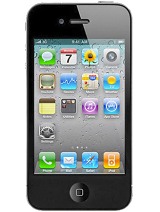
Spesifikasi iPhone 4S

Apple
Apple iPhone 4
MORE PICTURES
General 2G Network GSM 850 / 900 / 1800 / 1900
3G Network HSDPA 850 / 900 / 1900 / 2100
Announced 2010, June
Status Available. Released 2010, June
Body Dimensions 115.2 x 58.6 x 9.3 mm
Weight 137 g
Display Type LED-backlit IPS TFT, capacitive touchscreen, 16M colors
Size 640 x 960 pixels, 3.5 inches (~330 ppi pixel density)
Multitouch Yes
Protection Corning Gorilla Glass, oleophobic coating
Sound Alert types Vibration, propriety ringtones
Loudspeaker Yes
3.5mm jack Yes, check quality
Memory Card slot No
Internal 8/16/32 GB storage, 512 MB RAM
Data GPRS Class 10 (4+1/3+2 slots), 32 - 48 kbps
EDGE Class 10, 236.8 kbps
Speed HSDPA, 7.2 Mbps; HSUPA, 5.76 Mbps
WLAN Wi-Fi 802.11 b/g/n, Wi-Fi hotspot
Bluetooth Yes, v2.1 with A2DP
USB Yes, v2.0
Camera Primary 5 MP, 2592 x 1944 pixels, autofocus, LED flash, check quality
Features Touch focus, geo-tagging, HDR
Video Yes, 720p@30fps, LED video light, geo-tagging, check quality
Secondary Yes, VGA, 480p@30fps, videocalling over Wi-Fi only
Features OS iPhone OS 4, upgradable to iOS 5.1
Chipset Apple A4
CPU 1 GHz Cortex-A8
GPU PowerVR SGX535
Sensors Accelerometer, gyro, proximity, compass
Messaging iMessage, SMS (threaded view), MMS, Email, Push Email
Browser HTML (Safari)
Radio No
GPS Yes, with A-GPS support
Java No
Colors Black, White
 - MicroSIM card support only
- Scratch-resistant glass back panel
- Active noise cancellation with dedicated mic
- TV-out
- iCloud cloud service
- Twitter integration
- Google Maps
- Audio/video player and editor
- Image editor
- Voice command/dial
Battery   Standard battery, Li-Po 1420mAh
Stand-by Up to 300 h (2G) / Up to 300 h (3G)
Talk time Up to 14 h (2G) / Up to 7 h (3G)
Music play Up to 40 h
Misc Price group

Minggu, 04 Maret 2012

CARA MERAWAT HP TOUCH SCREEN

Inilah Cara Merawat HP Touchscreen

Minggu, 19 Februari 2012 03:16 WIB
 
Handphone canggih yang menggunakan touchscreen memang memerlukan perawatan yang lebih ekstra.
Karena, handphone layar sentuh atau touchscreen kendalanya ada pada layarnya. Layar handphone touchscreen itu menggunakan LCD. Sehingga, jika melakukan kesalahan dalam menggunakan LCD tersebut akan mengakibatkan LCD itu cepat rusak. Untuk itu, harus mengetahui dan merawat LCD agar tetap awet dan terjaga.
Berikut ini cara merawat handphone layar sentuh atau touchscreen :
1. Gunakanlah screen protector atau plastik antik gores pada layar handphone.
2. Jauhkanlah handphone dari benda-benda yang mengandung medan magnet seperti radio, televisi,
dan benda-benda lain yang mengandung magnet.
3. Usahakan layar LCD tidak dalam keadaan kotor, dan jika layar itu kotor bersihkanlah dengan
menggunakan tissue atau kain yang halus.
4. Gunakanlah jari telunjuk untuk menggunakan layar, jangan menggunakan kuku untuk mengusap
layar ketika sedang menggunaka karena akan mengakibatkan layar tergores.
5. Hindarkan terkena sinar matahari secara langsung, karena akan merusak kualitas LCD tersebut.
6. Jangan menekan layar terlalu kencang, tekan layar sewajarnya saja.

Kamis, 16 Februari 2012

CARA MENONAKTIFKAN KLIK KANAN PADA BLOG

Mungkin saja karena kita ingin melindungi semua rahasia-rahasia yang ada di balik klik kanan tersebut. Terlepas dari hal itu, entah anda pingin atau tidak, saya coba membantu cara praktis membuat klik kanan di halaman blog anda agar didisable oleh system.

Untuk itu silahkan ikuti langkah-langkah berikut ini tentang Cara Disable Klik Kanan Pada Blog.

1. Masuk ke Blog anda
2. Klik Tata Letak
3. Klik Tambah Gadget
4. Klik pilihan menu HTML/JavaScript
5. Pastekan script di bawah ini ke dalam kolom konten tersebu

<script>
var message="Maaf, Klik Kanan Saat Ini Saya Disable ";
///////////////////////////////////
function clickIE4(){if (event.button==2){alert(message);return false;}}
function clickNS4(e){if (document.layers||document.getElementById&&!document.all){if (e.which==2||e.which==3){alert(message);return false;}}}
if (document.layers){document.captureEvents(Event.MOUSEDOWN);document.onmousedown=clickNS4;}
else if (document.all&&!document.getElementById){document.onmousedown=clickIE4;}
document.oncontextmenu=new Function("alert(message);return false")
</script>


6. Silahkan ganti script yang berwarna merah dengan kalimat pilihan anda
7. Klik Simpan
8. Selesai

SELAMAT MENCOBA...

MEMBUAT EFEK IKAN PADA BLOG

Untuk Teman-teman yang ingin membuat Blog nya terlihat Indah, maka jangan tinggalkan cara yang satu ini, ini membuat kita seperti tinggal dirumah sendiri,, Kurang jelas dengan judul di atas, maksudnya kita bisa memberi makan ikan-ikan di blog dengan Mengarahkan cursor mouse ke kotak aquarium lalu di klik, maka secara otomatis kita memberi makanan ke ikan-ikan itu,,

Lebih Jelasnya Klik aja Disini Untuk Melihat Contohnya……..!!!

Apa blog anda ingin terlihat seperti itu, Dan mungkin anda ingin memelihara ikan-ikan kecil itu,,,
Atau mungkin anda akan membuat pepes ikan,..? Ya kalo mau buat pepes ikan beli ikan yang asli donk dipasar masa` pake ikan di blog… heeee… heee..!!!
Pasti pengen tau caranya…. Tapi kayaknya gak usah dech… soalnya ikannya udah di lepas kelaut semua,,, gak Cuma becanda,,!!!
Ikutin aja langkah-langkah dibawah ini,, Caranya gampang koq

1. Pertama-tama Klik Disini untuk mengujungi Alamatnya
2. Setelah Masuk Ke alamat itu Cari kode Html/Javasciptnya
3. Copy - Paste Kodenya
4. Langkah Selanjutnya masuk ke blog Anda
5. Buka Tata Letak setelah itu Klik Elemen Halaman
6. Klik tambah Gedged pilih/klik menu HTML/Javascript
7. Klik Save
8. Dan Lihat hasilnya…

Semoga Berhasil ya…………………?